Published · 5 min read
What Size Should a QR Code Be on a Business Card?
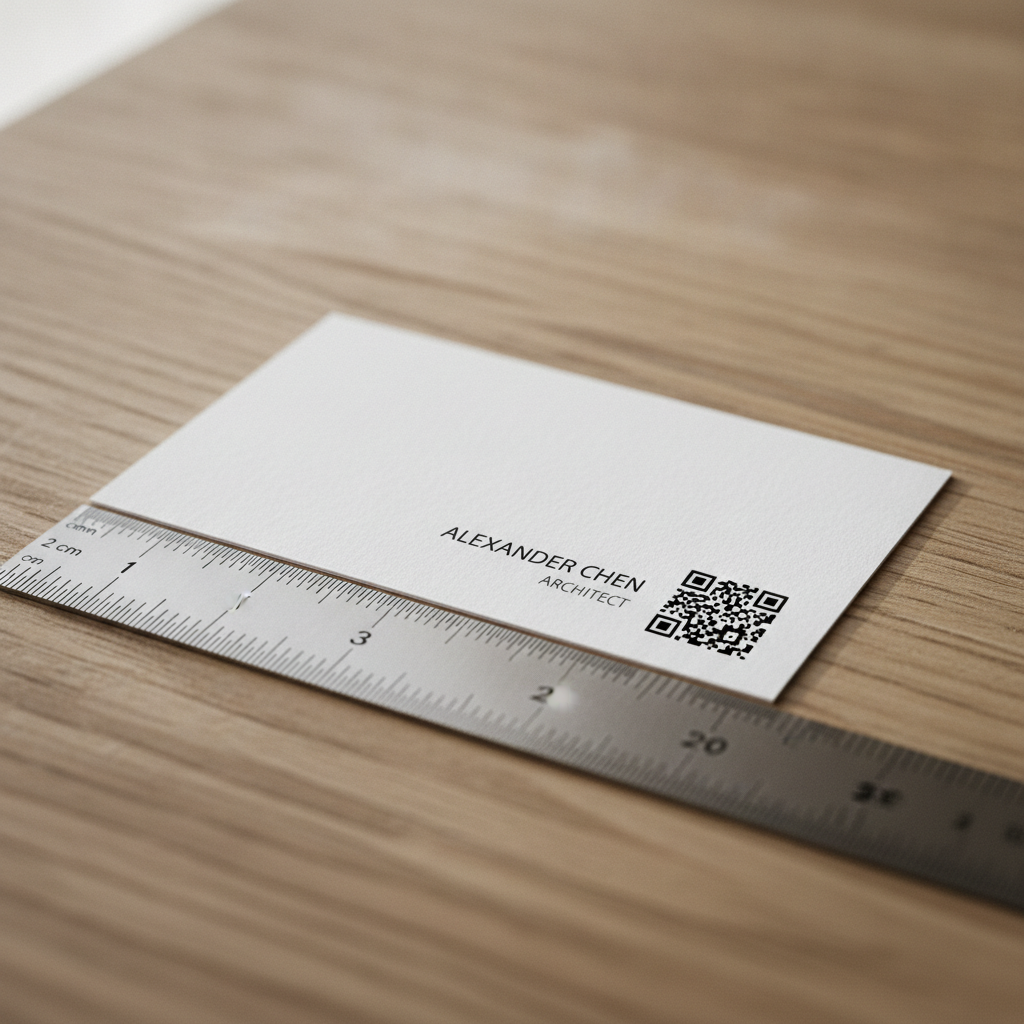
A business card is the smallest common format anyone prints a QR code onto, and it’s also the longest-lived: a card handed out once might sit in a drawer, a wallet, or a Rolodex for years before someone finally scans it. That combination — least available space, longest expected lifespan — makes sizing a business card code less forgiving than almost any other use case.
The minimum: 2 x 2 cm
At a typical scan distance for a card held in the hand — 10 to 15 cm — the general rule of minimum width equals scan distance divided by ten gives a floor of roughly 1 to 1.5 cm. In practice, 2 x 2 cm is the safer minimum, and 2.5 x 2.5 cm is the recommended size if your layout can spare it. The extra margin absorbs the two things business cards are especially prone to: long destination URLs and low-quality print runs.
Full detail on where these numbers come from — module size, the ten-to-one rule, and how it scales to other formats — is in the general QR code size guide.
Why URL length matters more here than almost anywhere else
A business card’s code has the least physical space of any common format, which means it has the least room to absorb a long, complex destination URL. Encoding yourcompany.com/team/alexander-chen?utm_source=businesscard&utm_campaign=2026-networking pushes the code to a higher version — more modules, packed into the same small printed area — and each module gets correspondingly smaller and harder to scan.
Encoding yourcompany.com/chen instead keeps the code at a low version with larger, more forgiving modules at the same printed size. On a business card, shortening the URL isn’t a tidiness preference — it’s very often the difference between a code that scans reliably at 2 cm and one that doesn’t.
Placement: don’t let the layout crowd the quiet zone
Business card designs are dense by necessity — a name, title, company, phone, email, and now a QR code, all fit into roughly 8.5 x 5.5 cm. The most common way a business card code fails isn’t size, it’s the quiet zone getting crowded by everything else on the card.
Every QR code needs a clear margin — at least 4 modules of blank space on all sides — for a scanner to find its boundary. On a card this small, that margin is only a few millimeters wide, and it’s tempting for a design to let a logo, a border rule, or a line of text bleed right up against the code to save space. Don’t. Keep the code in a corner with genuinely clear space around it — the bottom corner is the most common and reliable placement, since it borders only the card’s edge on two sides rather than being hemmed in by text on all four.
Test at actual size, on actual stock
A 2 cm code looks completely different rendered at 300% zoom on a screen than it does printed and held at arm’s length. Before committing to a print run:
- Print a physical proof at exact size, not a scaled mockup.
- Test with the card stock you’re actually using. Uncoated or textured cardstock — common for a premium feel on business cards — absorbs ink slightly, which can close the gaps between modules at this small a size. If you’re using uncoated stock, size up to 2.5 cm and favor a medium-to-high error correction level.
- Scan it from a drawer, not a desk. Simulate the real scenario: someone finds the card after months, in ordinary indoor lighting, holding it at a normal angle — not perfectly flat under a desk lamp.
Quick reference
- Minimum: 2 x 2 cm
- Recommended: 2.5 x 2.5 cm, especially on uncoated stock
- Keep the URL short — this format has the least room to absorb a long one
- Place in a corner with genuinely clear margin, not crowded by other card elements
- Error correction: M is usually sufficient for a card that lives indoors; use Q if the card style overlays a logo near the code
Generate a free, permanent QR code sized correctly for a business card — SVG and high-res PNG, no account, no expiry. → Create yours with EtchedQR
For static vs dynamic, design, and every other use case, see QR codes for print: the complete guide.