Published · 6 min read
QR Code Asset Tags for Equipment Labeling: A Practical Guide
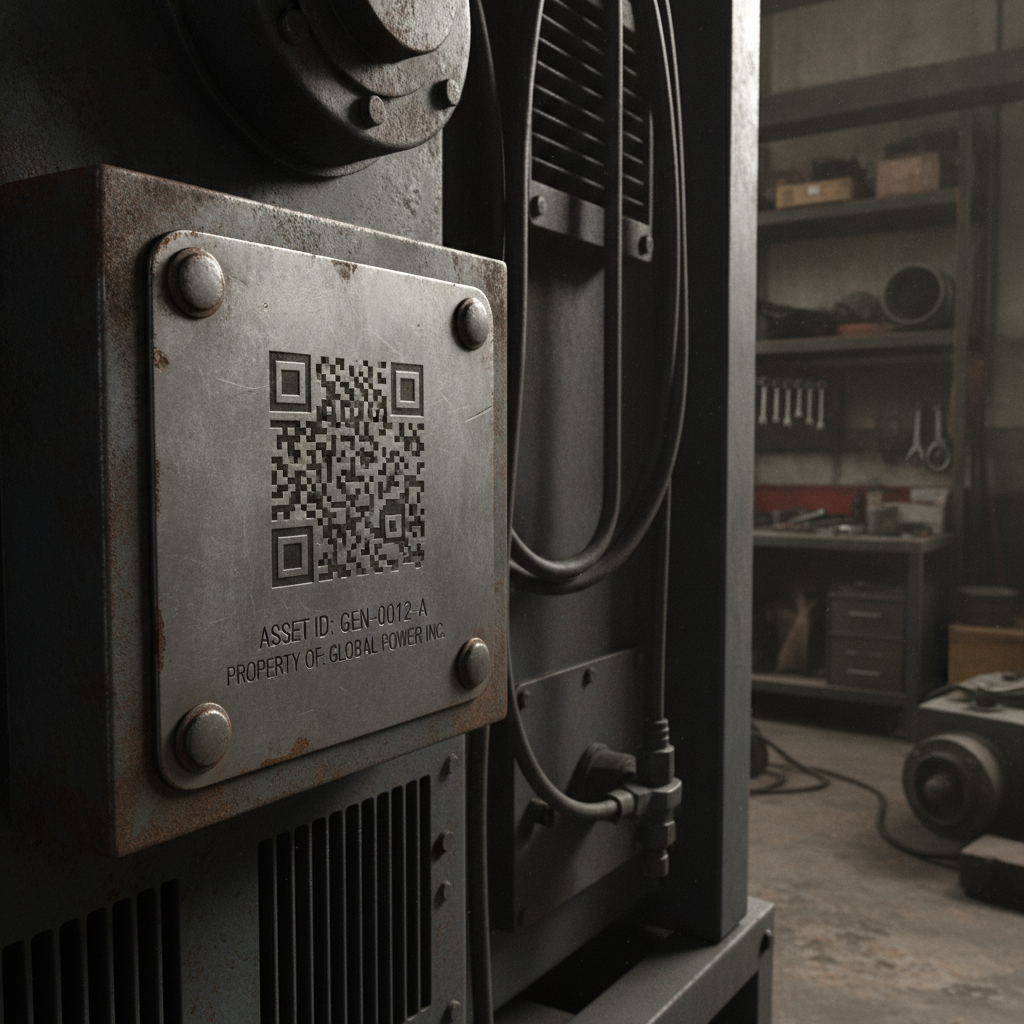
Equipment asset tags face the harshest conditions of any common QR code use case: outdoor exposure, oil and grime, physical scratches from tools and handling, and a service life measured in years or decades rather than a single print run’s shelf life. A tag on a machine has to keep resolving for as long as the equipment itself is in service.
Material matters more here than anywhere else
Laser-etched or engraved metal is the most durable option, and worth the extra cost for equipment with a long expected service life. Because the code is physically part of the material — cut or marked into it, not printed on top — it can’t peel, fade in sunlight, or be scraped off the way an adhesive label can. This is the right choice for anything outdoors, exposed to chemicals, or expected to outlast several printed-label replacement cycles.
Durable printed labels — polyester or vinyl, specifically rated for outdoor or industrial use, never plain paper — are a reasonable and considerably cheaper option for indoor equipment or anything with a shorter expected service life. Look for labels rated for UV exposure and abrasion if there’s any chance the equipment will spend time outdoors or in a harsh shop environment.
Error correction: H is the right default here, not the exception
Almost every other use case treats H-level error correction as reserved for unusually demanding conditions. For equipment labels, treat H as the baseline. These codes get scratched by tools, coated in grease and dust, exposed to direct sun for years, and handled by people wearing work gloves rather than carefully avoiding contact. That combination of wear sources justifies the roughly 30% damage tolerance H provides from day one, rather than starting at M and upgrading only if problems appear. See error correction levels explained for the full trade-off this involves.
Sizing for a maintenance-distance scan
Most equipment labels are scanned by someone standing at arm’s length during an inspection or maintenance task — typically 20-30 cm. That gives a comfortable minimum:
- Minimum: 2.5 × 2.5 cm
- Recommended: 3 × 3 cm or larger if the tag will be mounted somewhere not always reachable at close range — overhead equipment, the interior of a large machine, or anything requiring a slightly longer reach to scan comfortably.
If the same equipment is sometimes inspected from further away — walking a row of machines and scanning the ones flagged for service, for instance — size for that longer distance rather than the closest-case scenario. See the general size guide for the underlying distance-to-size math.
What the code should actually point to
The most useful destination for an asset tag is usually a page tied to that specific piece of equipment: maintenance history, a manual, a service request form, or an entry in an asset management system. A static code pointed at a URL you control — yoursite.com/assets/gen-0012 — lets you update what that page shows (a new manual revision, updated maintenance logs, a transfer of ownership) without touching the physical tag at all, which matters enormously for equipment that might stay in service for a decade or more without ever being relabeled.
Placement and contrast on industrial surfaces
Mount the tag somewhere protected from the equipment’s own operational wear — not directly in the path of moving parts, coolant spray, or routine physical contact during operation, even if that means it’s slightly less convenient to reach during a scan.
On metal, contrast comes from surface texture rather than tonal color difference, since etched or engraved codes are typically a single material color throughout. Test scan under the actual lighting the equipment lives in — a workshop’s fluorescent lighting and outdoor equipment’s direct sun produce very different glare patterns off a metal surface, and a tag that scans fine under one may need adjustment for the other.
Quick reference
- Material: laser-etched metal for long service life or outdoor exposure; durable printed label (not paper) for shorter-lived indoor equipment
- Error correction: H as the default, not the exception
- Size: 2.5-3 cm minimum at typical maintenance-distance scanning
- Destination: a URL you control, tied to that specific asset’s maintenance history
Generate a free, permanent QR code for equipment labeling — high error correction, no account, no expiry. → Create yours with EtchedQR
For the guide to QR code menus for restaurants, see QR code menus for restaurants. If you’re weighing QR against a traditional barcode for asset tracking, see QR code vs barcode. For static vs dynamic, sizing, and every other use case, see QR codes for print: the complete guide.